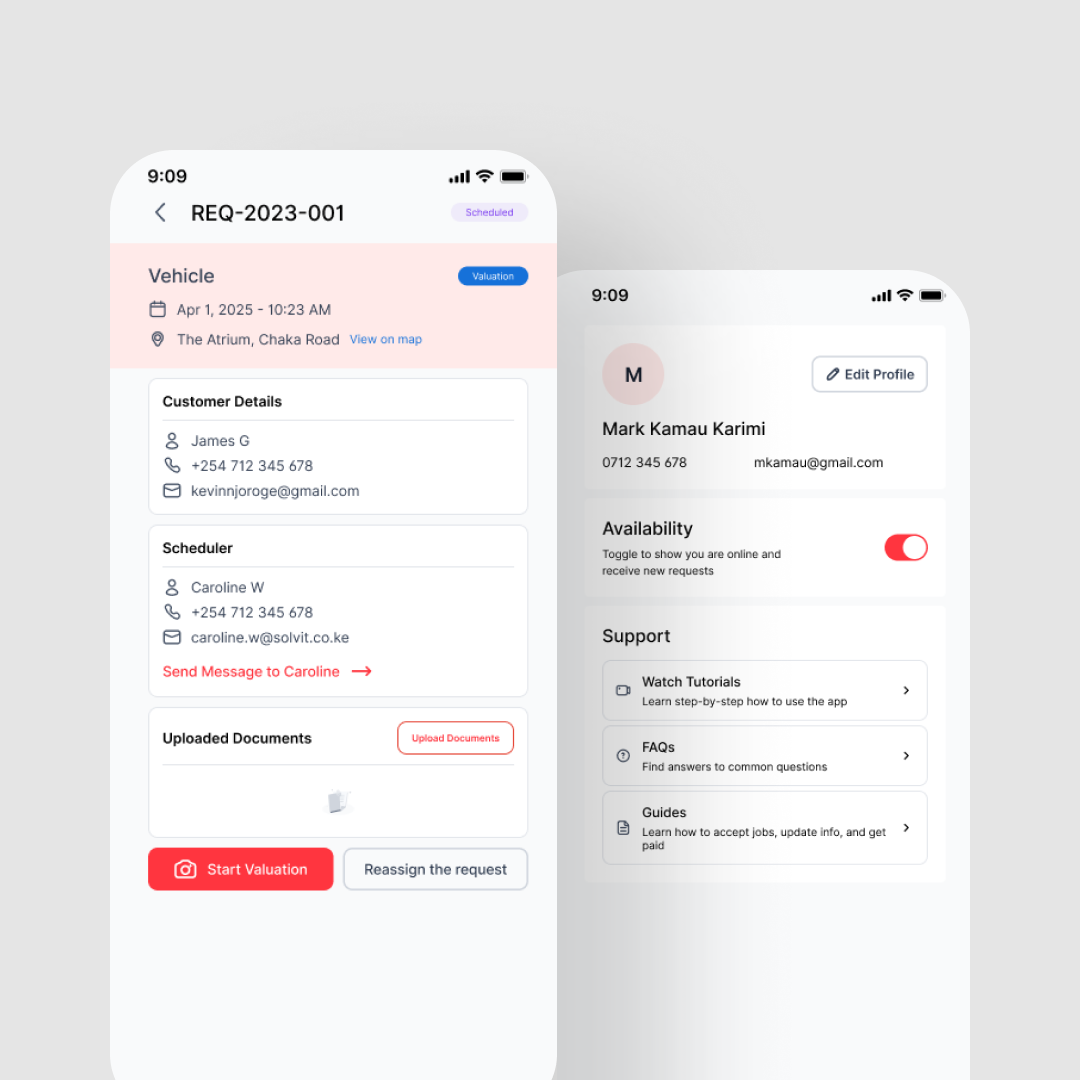
Solvit — Solver Mobile App
Designed a native mobile app for field valuers — letting them accept jobs, navigate to locations, complete valuations on-site with forms and photo capture, and submit work, including offline.
iOS & Android
Platform
Offline-first
Connectivity
End-to-end
Workflow
2024
Year
Overview
Solvers are the valuers, inspectors, and assessors who do the actual fieldwork — driving to a property, vehicle, or asset, conducting the assessment, and submitting a completed report.
They work from their phones, often in areas with poor connectivity. This app is their primary tool for receiving jobs, doing the work, and getting paid. Every design decision had to survive a dropped connection and a solver standing in a parking lot in the sun.
The Problem
The existing workflow was stitched together across multiple tools with no single thread connecting them:
- Job assignments via phone calls or WhatsApp messages
- Navigation via a separate maps app — losing context every time
- Forms filled on paper or in generic form tools
- Photos taken on the phone camera and manually attached later
- Everything emailed or WhatsApp'd back to the office for report assembly
Photos got lost. Forms were incomplete. Reports took days to assemble. And if a solver was in a low-connectivity area — common for rural property valuations — work stalled completely.
Job Management & Navigation
Job Feed
Assigned jobs with asset type, location, urgency, and client details. Accept or decline with one tap. The solver knows everything they need before heading out.
Job Detail
Asset information, client requirements, supporting documents, and special instructions — all in one place before the solver leaves.
Integrated Navigation
Tap to navigate directly to the job location from within the app. No switching to a separate maps app and losing job context. The solver stays in one tool from acceptance to submission.
On-Site Work
Dynamic Valuation Forms
Form fields that adapt based on asset type — property, vehicle, equipment, and others each get the right fields. Required fields are enforced. Progress is saved continuously so a solver never loses work mid-form.
Guided Photo Capture
In-app camera with guided photo requirements (front view, interior, damage, odometer, etc.). Photos attach directly to the relevant form section. Annotation support for flagging specific details. No more hunting through a camera roll to find the right shot.
Offline-First
Forms and photo capture work fully offline. Data saves locally and syncs automatically when connectivity returns. The solver never loses work because of a dropped signal — in rural areas, this isn't an edge case, it's the default.
Submission & Tracking
Job Submission
Review completed form and photos, then submit for admin review. Clear confirmation of what's been sent — no ambiguity about whether the work got through.
Job History & Earnings
Past jobs with status (submitted → reviewed → approved → paid) and earnings per job. Total earnings, pending payments, and payment history. Solvers have full visibility into what they've done and what they're owed.
What I Learned
- Offline-first is not a feature — it's an architecture decision that affects every interaction in the app. You can't bolt it on. I designed every flow assuming connectivity could drop at any point.
- Field workers don't read instructions. The forms needed to be self-explanatory with inline guidance, smart defaults, and validation that catches errors before submission — not after.
- Photo capture with guidance ('take front view,' 'capture odometer') dramatically improved submission quality compared to unstructured 'attach photos' flows.
- Designing the mobile app and the admin portal together meant I could ensure the data a solver submits maps cleanly to the admin review workflow — no translation layer needed.
Project Gallery